Premium Feature
Board State: Know What's Actually Winning You Games
Ask most Commander players what their best card is, and you'll get a gut-feeling answer. Board State turns your phone into a running, round-by-round record of what you played, confirmed by you, so the stats are based on what happened.
The problem it solves
Deck stats today mostly stop at "I won" or "I lost." That tells you almost nothing about why. Was it the commander doing the work? A combo piece that never once got cast? A card you keep including because it "feels good" but hasn't shown up in three games?
If you're playing weekly and you've put real money and time into a deck, "it feels good" isn't a good enough answer anymore. Board State gives you the actual evidence.
How it works
Load your deck into TurnZero HQ before the game. Board State needs your list because it checks what the camera sees against it.
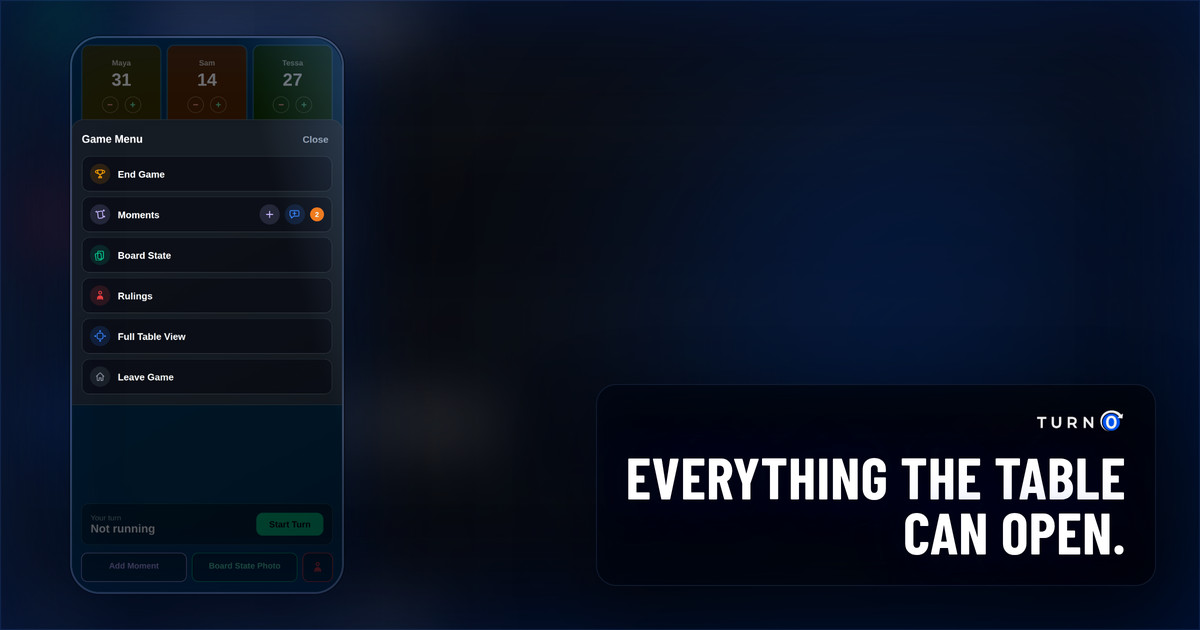
Once per round, tap “Take Board Photo” (or use the Board State Photo button right in the tracker). This is meant to be done between turns, on your own time, not while you're in the middle of a play.
TurnZero HQ scans the photo and matches cards against your loaded deck using AI, then shows you a Cards list for that round.
You confirm or reject each detected card: the green check confirms it's on the board, and the red X rejects a misread. Missed a card the scan didn't catch? Tap + and add it yourself.
You can log more than one photo in a round if your board's spread out or the first shot missed something. Every photo you take that round shows up under Logged This Game.
Lock In finalizes the round once your card list is accurate. That locked round becomes part of the permanent record for the game.
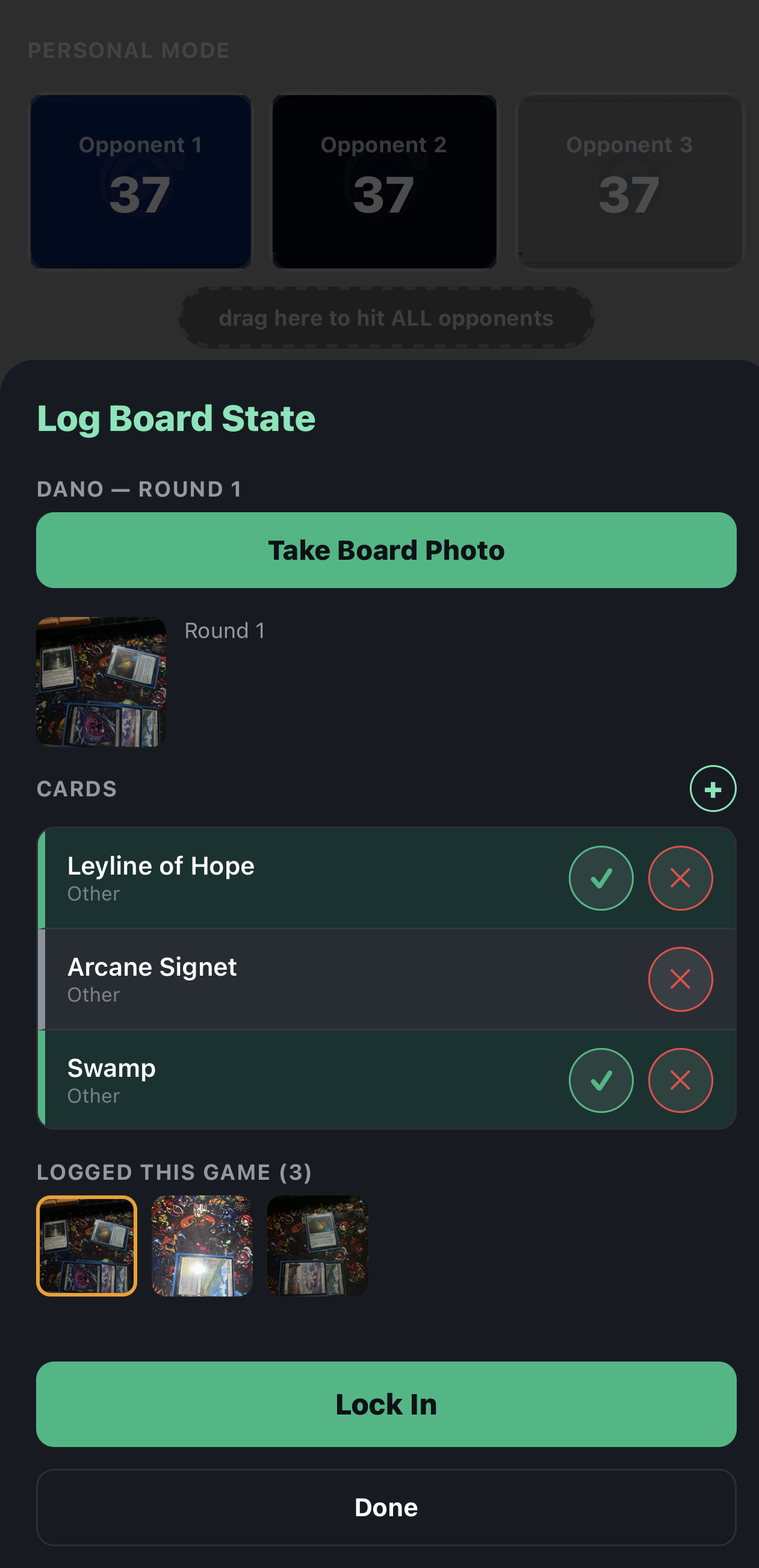
Confirm or reject each detected card
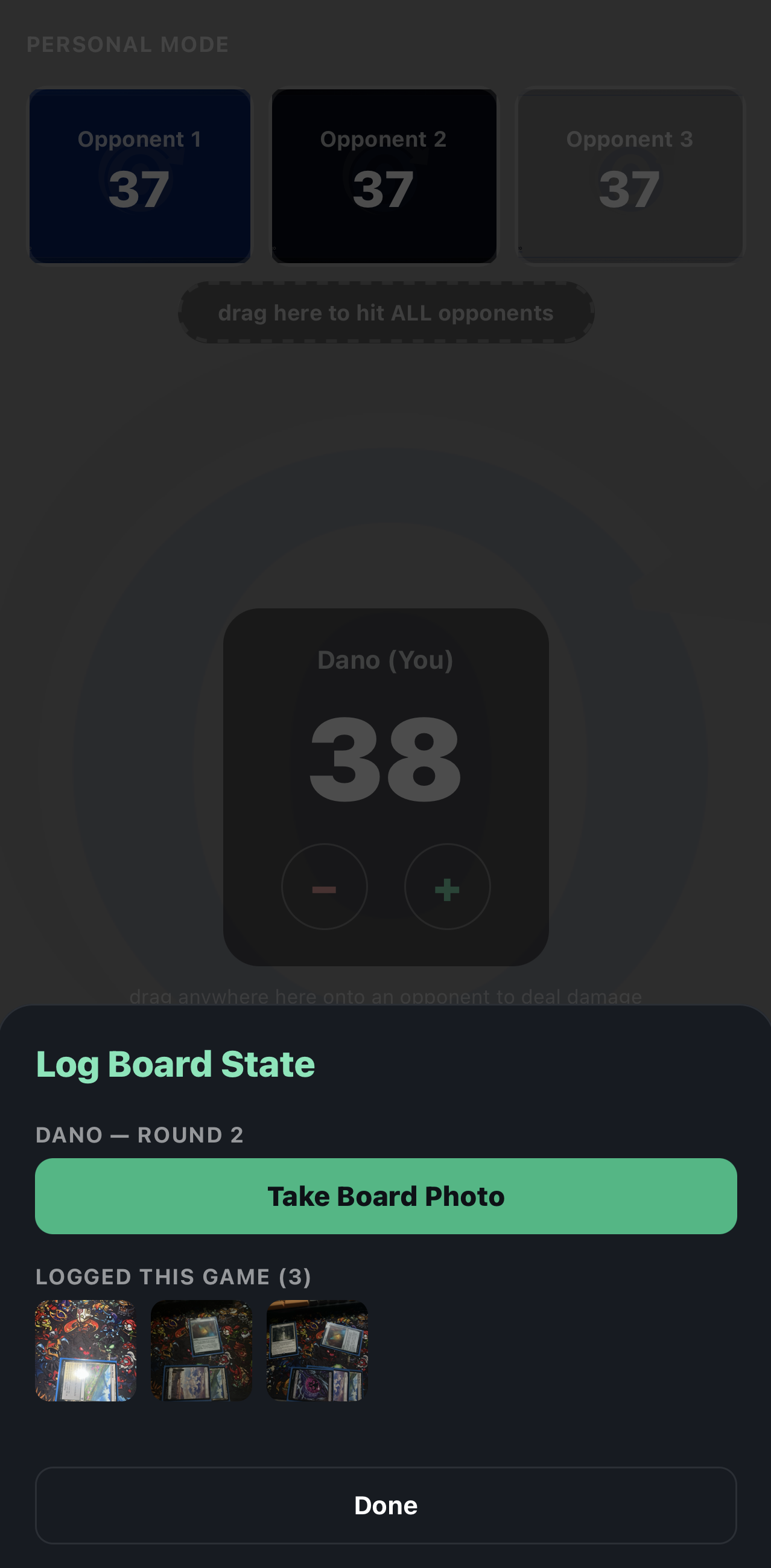
Every photo taken that round is saved under Logged This Game
The confirm/reject step matters because the scan can misread a card. You're the last check before anything gets recorded, so the history you build reflects what was on the board.
Why round-by-round matters
A single end-of-game snapshot tells you what was on the table when the game ended, but not how the game got there. Locking in each round records the sequence: your ramp came down turns 2–4, your commander stuck around from turn 5 on, removal answered a threat turn 7, and the win came from a combo piece that landed turn 9.
What you get out of it, over time
Over many games, the locked rounds add up to four kinds of information:
Cards winning you games: the ones that show up disproportionately often in your wins
Cards costing you games: dead draws, cards removed before doing anything
Cards you never see: cards buried in your 99 that rarely hit the battlefield, which are often the clearest candidates to cut
Turn-by-turn patterns: how your deck develops in real games, compared with how you think it develops
None of this requires deck-building software or manual card-by-card logging during the game. You point your camera at what's already on the table and confirm what it sees.
Why it's worth paying for
Board State is built for players who treat their decks as an ongoing project: people playing weekly, iterating on their 99, and spending real money keeping their decks current. For that player, "which cards are pulling their weight" is the question that decides what gets cut and what gets bought next.
A premium subscription gets you a confirmed record of every game, cross-referenced against your decklist. Without it, you would have to log your own plays by hand each game. For a once-a-week player, a season of those records says more about what to tune than memory does.
A note on how it's meant to be used
Board State is meant to be used between turns, so it stays out of the way of playing, like the rest of TurnZero HQ. If it's slowing your turns down, take the photo (and do your confirming) on someone else's turn, not yours.
Who this is for
Players who want evidence, rather than a hunch, for "is this card pulling its weight"
Weekly players tuning a deck over many games who want to see the pattern across games as well as the last result
Anyone building long-term deck history who wants their stats to mean something beyond win/loss
See Board State in action.
Load a deck, take a photo between turns, and let TurnZero HQ start building a record of your games.
Create Free Account