Riftbound
How to Use TurnZero HQ for Riftbound
TurnZero HQ covers four jobs for a Riftbound player: keeping your collection, building decks from it, keeping score at the table, and showing how your decks actually do. This page walks through each one in the order most players meet them, with a link to the full guide for each.
Set up your Riftbound account
One free account on iPhone, Android and the web for your cards, your decks and your games.
Create Free Account1. Collect: scan your cards and see what they're worth
Open My Library and switch the game menu to Riftbound. Add cards with the camera in the iPhone or Android app, which reads the set code and number at the bottom of each card, or type that code on the web. Already keep a list somewhere else? Import a CSV from the TCGplayer app or a spreadsheet, and check every row in a preview before it goes in.
Each copy is the exact printing you own, in its finish, with condition, language and grade if you want them, and a TCGplayer price refreshed nightly. From there, sort cards into binders, follow how much of each set you own, and keep a wishlist of what you're missing.
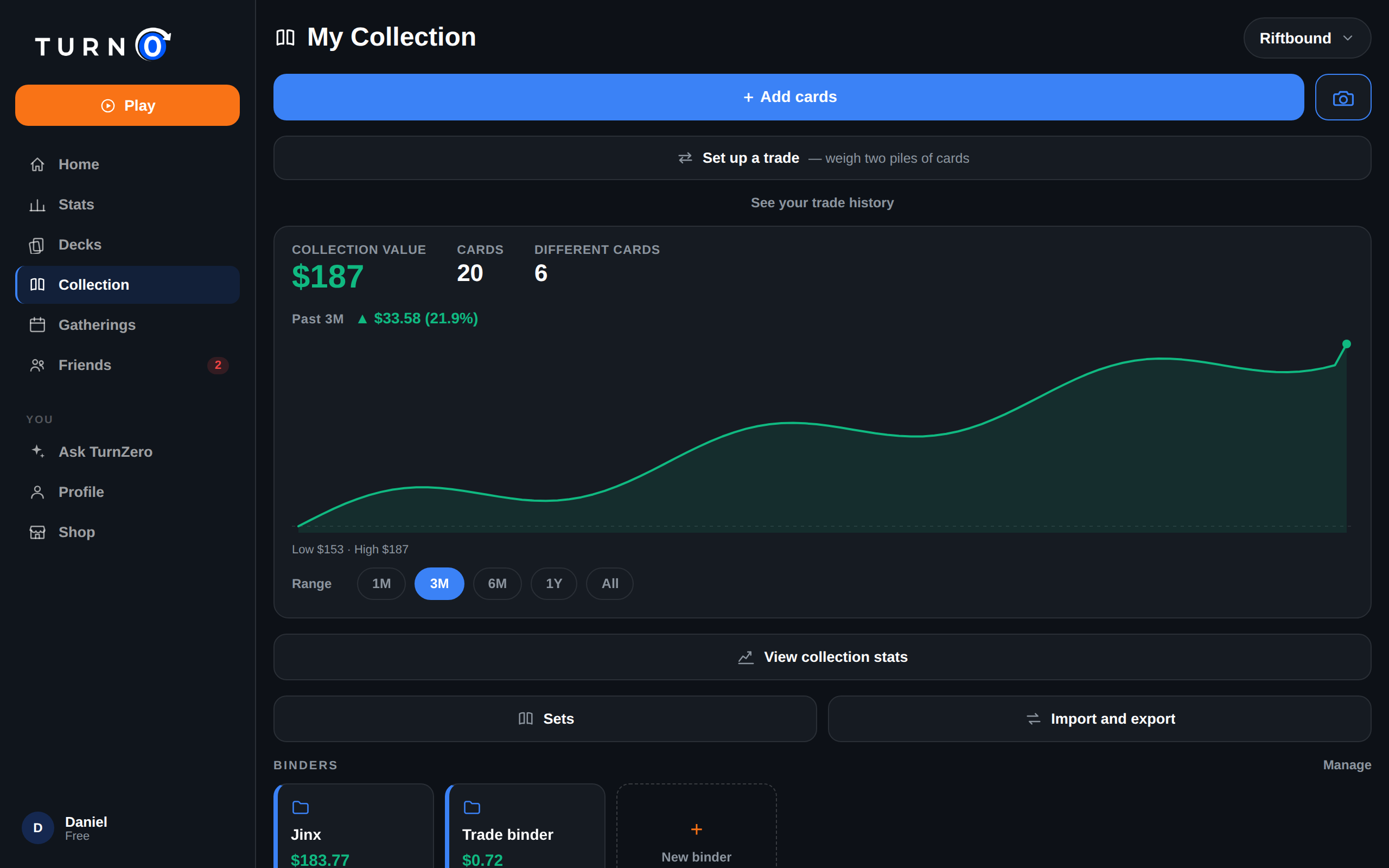
Riftbound card scanner · Collection tracker · Set completion · Import and export
2. Build: make a deck that's legal for your event
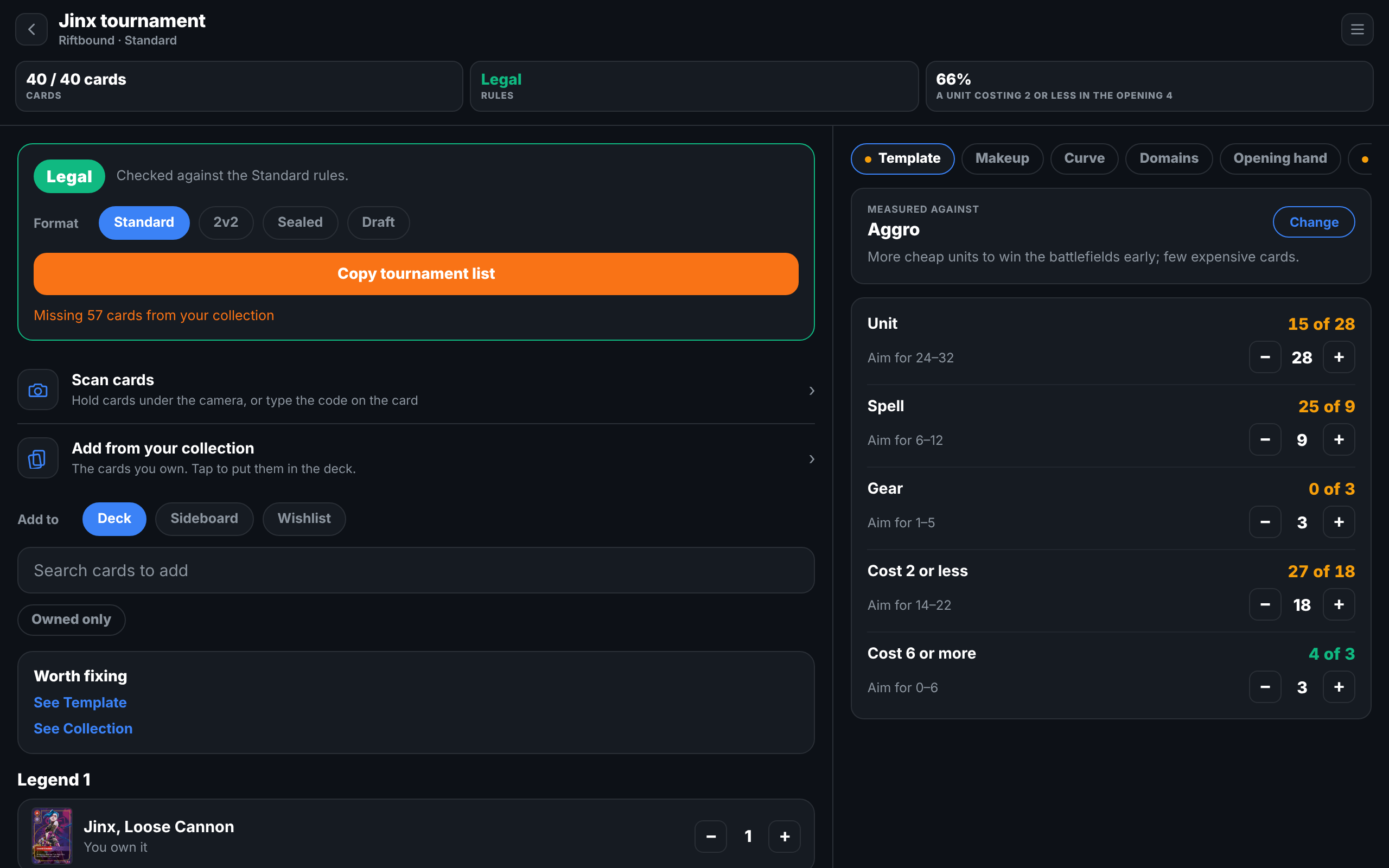
In Build, start a Riftbound deck and pick a Legend, or paste a list or a Piltover Archive deck code. The Deck Lab files each card under Legend, Chosen Champion, Main Deck, Sideboard, Runes or Battlefields, and shows which ones you already own. Turn on Owned only to search just your collection.
A Legal or Not legal badge at the top checks the deck against the format you pick (Standard, 2v2, Sealed or Draft) and lists anything that breaks a rule. Once it's legal, Copy tournament list gives you the registration text. The Lab also keeps a sideboard of up to 10, works out your rune odds for each turn going first or second, deals opening hands with Riftbound's mulligan, and holds your own matchup notes for each opposing Legend.
3. Play: keep score at the table
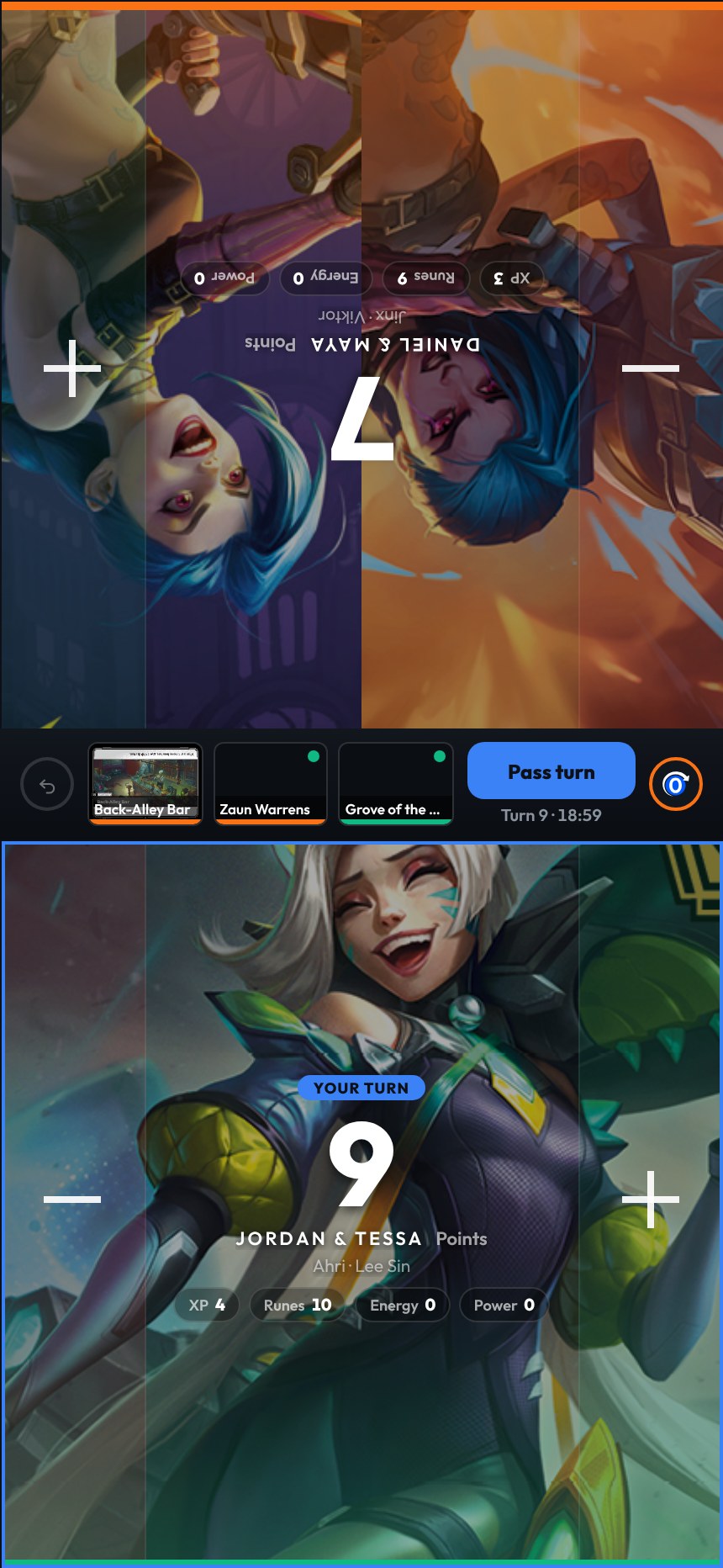
Tap Play, choose Riftbound and seat the players. The Riftbound card in setup offers Duel, Match (best of three), Skirmish, War and 2v2, and the board sets itself up for the one you pick: the battlefields in play, the victory score, and shared points for 2v2 teams.
During the game, tap a battlefield to score Conquer or Hold, or score Ability +1 for a card that gives a point, then Pass turn. The tracker reminds you of the final point rule without ever blocking a point, waits for a clear leader before it calls a winner, and can show XP, runes, energy and power counters and a 60-minute round clock. After the game, Points by turn shows where every point came from.
4. Review: see how your decks really do
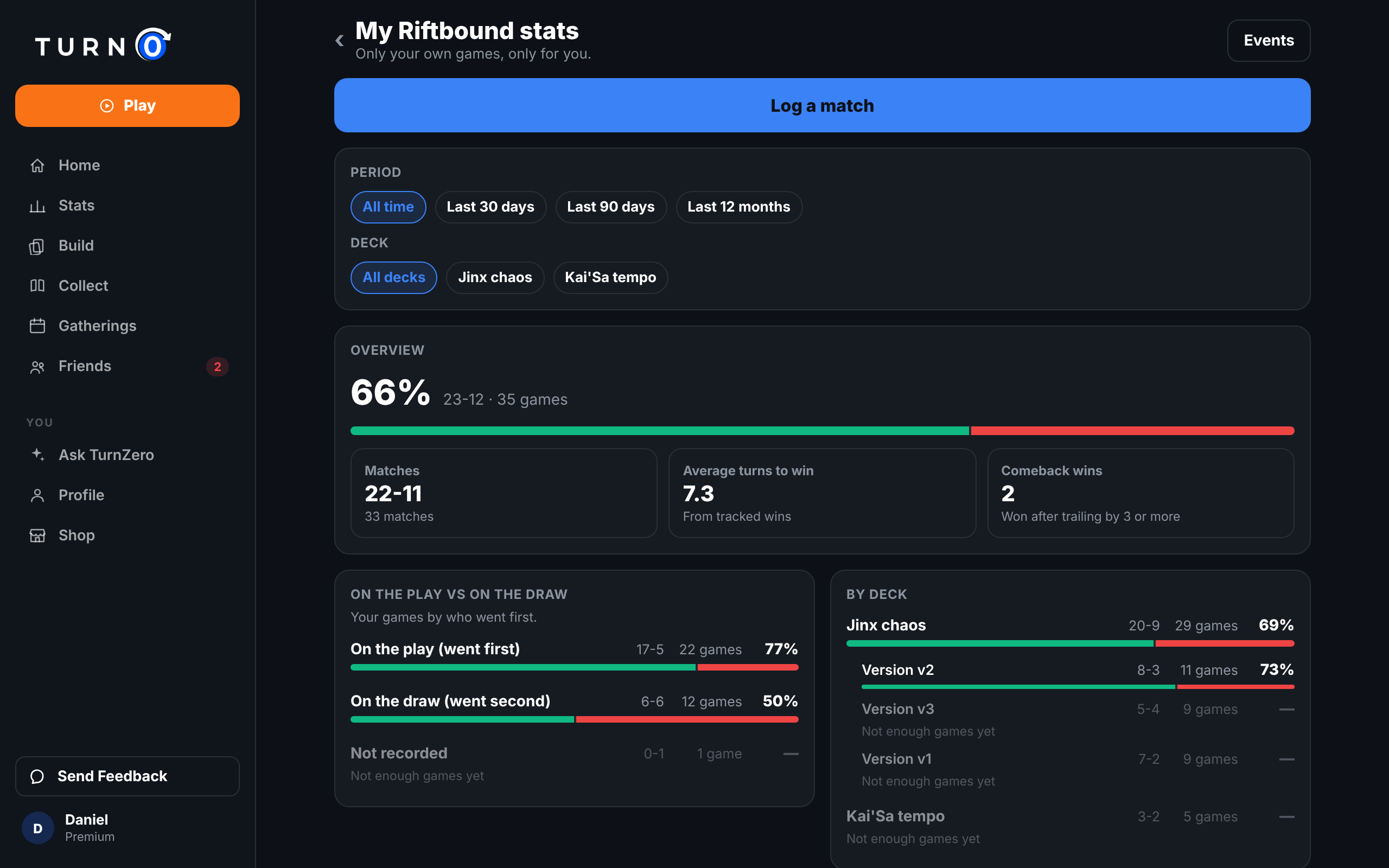
Every tracked game goes into My Riftbound stats, reached from the Your Riftbound games card in My Library. It splits your record by deck and deck version, on the play vs on the draw, by battlefield, by the Legends you faced, by mode and event type, and game 1 against games 2 and 3. For games you played without the tracker, Log a match records one in a few taps, and events group a night's rounds under your Swiss record.
The stats cover your own games and are shown only to you. TurnZero HQ doesn't combine Riftbound results across players, so there are no Legend win rates, rankings or ratings.
Frequently Asked Questions
Is TurnZero HQ free for Riftbound?
Yes. The collection, scanning, set completion, CSV import and export, 3 binders, the Deck Lab, the score tracker, your stats, the match log and events all come with a free account on iPhone, Android and the web. Premium adds the chart of your collection's value over time and raises the binder limit to 50.
Can I play Riftbound online in TurnZero HQ?
No. TurnZero HQ is for playing with real cards at a real table. It keeps your collection, your decks and your score, and you play the game itself in person.
Does TurnZero HQ rank Riftbound players or decks?
No. Riftbound has no ratings, rankings or leaderboards in TurnZero HQ, and results are never combined across players. Your stats are your own games, shown only to you.
Which devices does it run on?
iPhone, Android and the web, all on the same account. The camera scanner runs in the phone apps; on the web you type the code printed at the bottom of the card instead.
Collect, build and play Riftbound in one place
Your cards, your decks and your games, on iPhone, Android and the web. Free to start.
Create Free AccountTurnZero was created under Riot Games' "Legal Jibber Jabber" policy using assets owned by Riot Games. Riot Games does not endorse or sponsor this project. Card data comes from Riot Games' official Riftbound card gallery, and prices from TCGplayer via TCGCSV.