Riftbound
Riftbound Stats and Match Log
TurnZero HQ keeps your own Riftbound record: every game you track at the table and every match you log afterward, split by deck version, play or draw, battlefield and the Legends you face. Here is what the stats screen shows, how to log a match, and how events keep your Swiss record.
Start your Riftbound record
Track games at the table or log them after, and see how each deck version does. Only you see it. Free on iPhone, Android and the web.
Create Free AccountWhere the stats come from
Your Riftbound record has two sources. Games you keep score of with the Riftbound score tracker count automatically, with who went first, the battlefields, and every point by how it was scored. Matches you played without the tracker, at an event or on another night, go in through Log a match. Both land in the same stats.
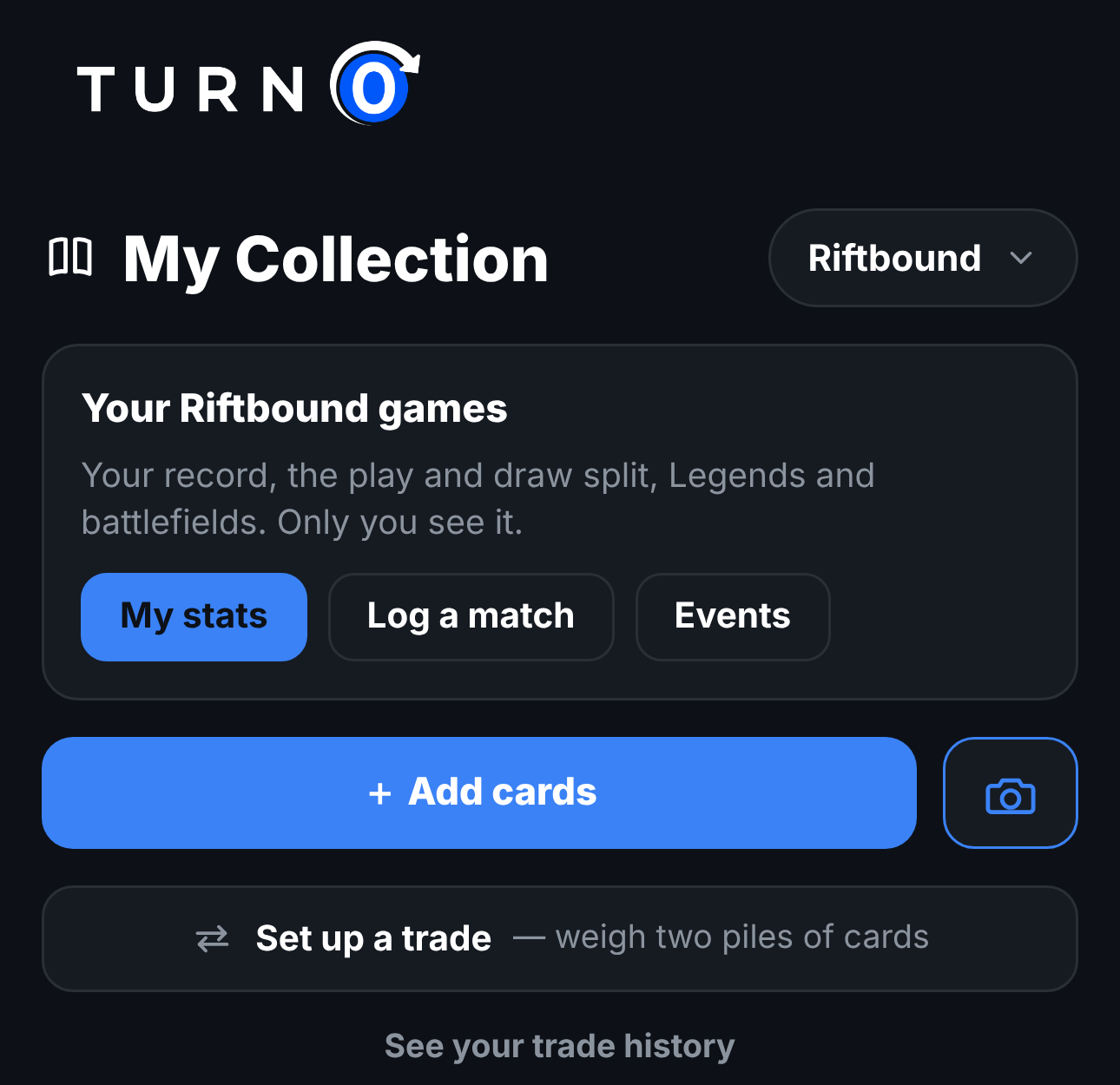
To get there, switch My Library to Riftbound. The Your Riftbound games card at the top has My stats, Log a match and Events. The Stats tab links to the same screens when its game filter is set to Riftbound.
What My Riftbound stats shows
The screen opens with two filters, the period (All time, Last 30 days, Last 90 days or Last 12 months) and the deck, and an overview: your win rate and record, your match record, the average number of turns your tracked wins took, and comeback wins, the games you won after trailing by 3 or more points.
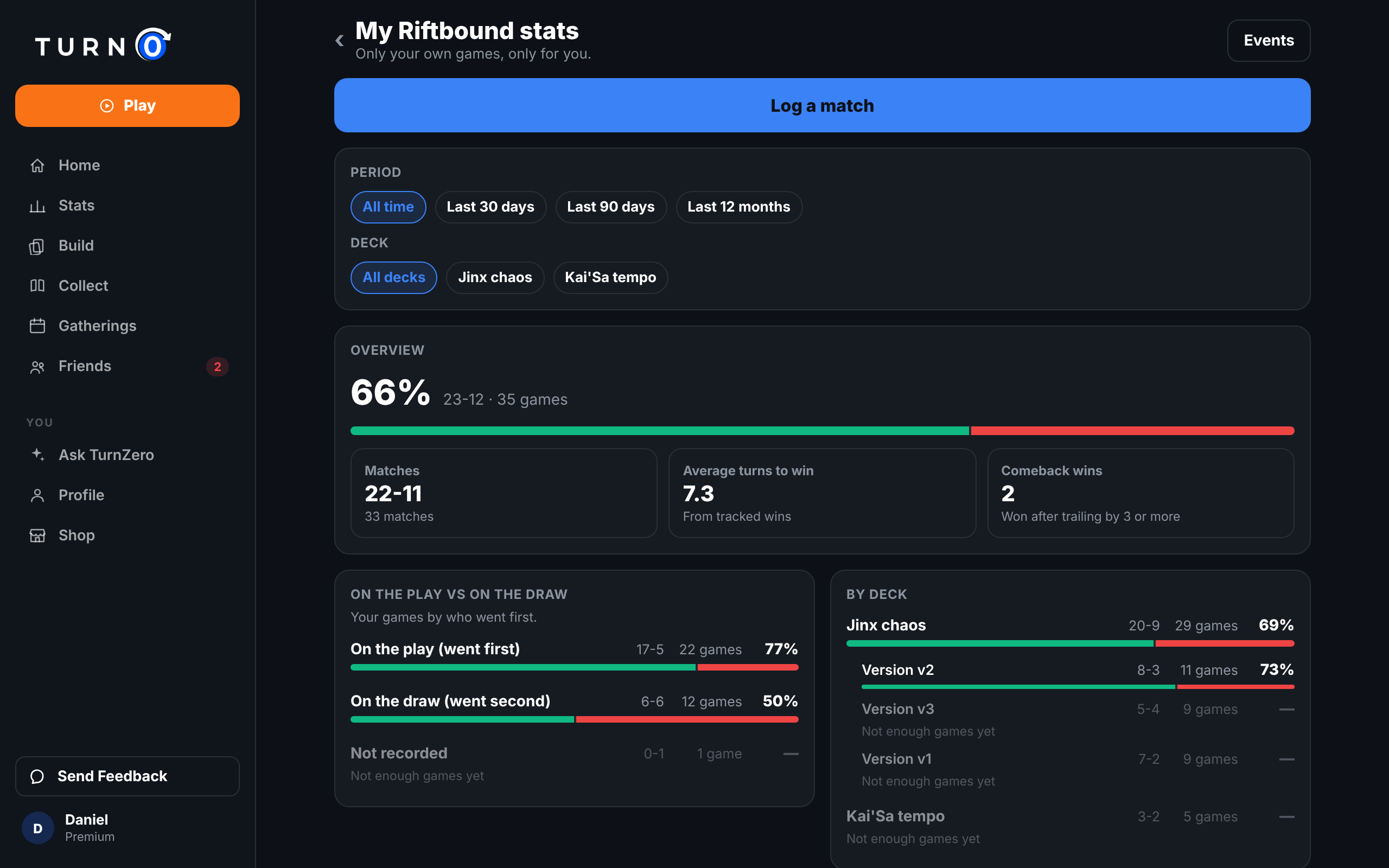
Below the overview, each section splits the same games a different way:
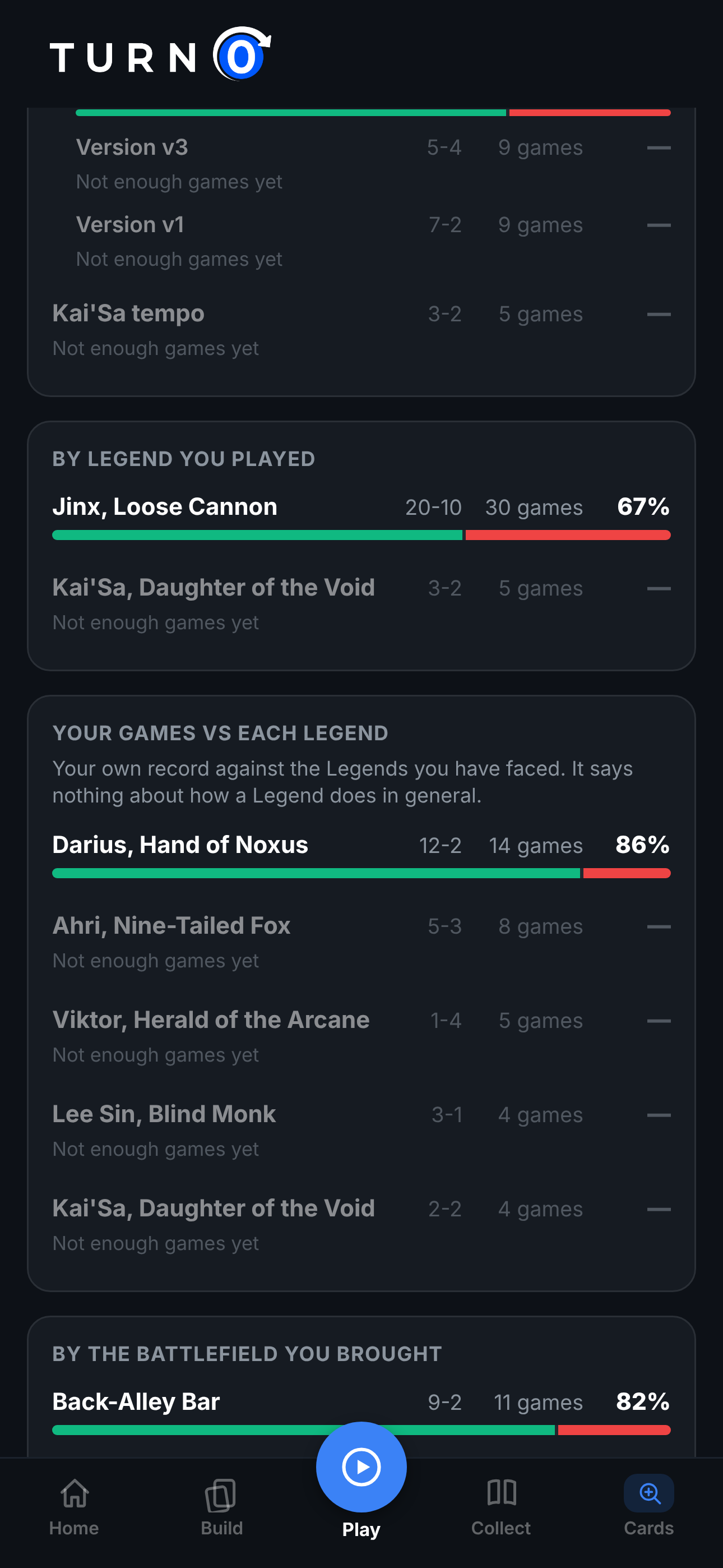
Every row shows how many games it's based on. A row with fewer than 10 games is grayed out, shows its record, and says Not enough games yet instead of a percentage, because a win rate from five games is mostly noise.
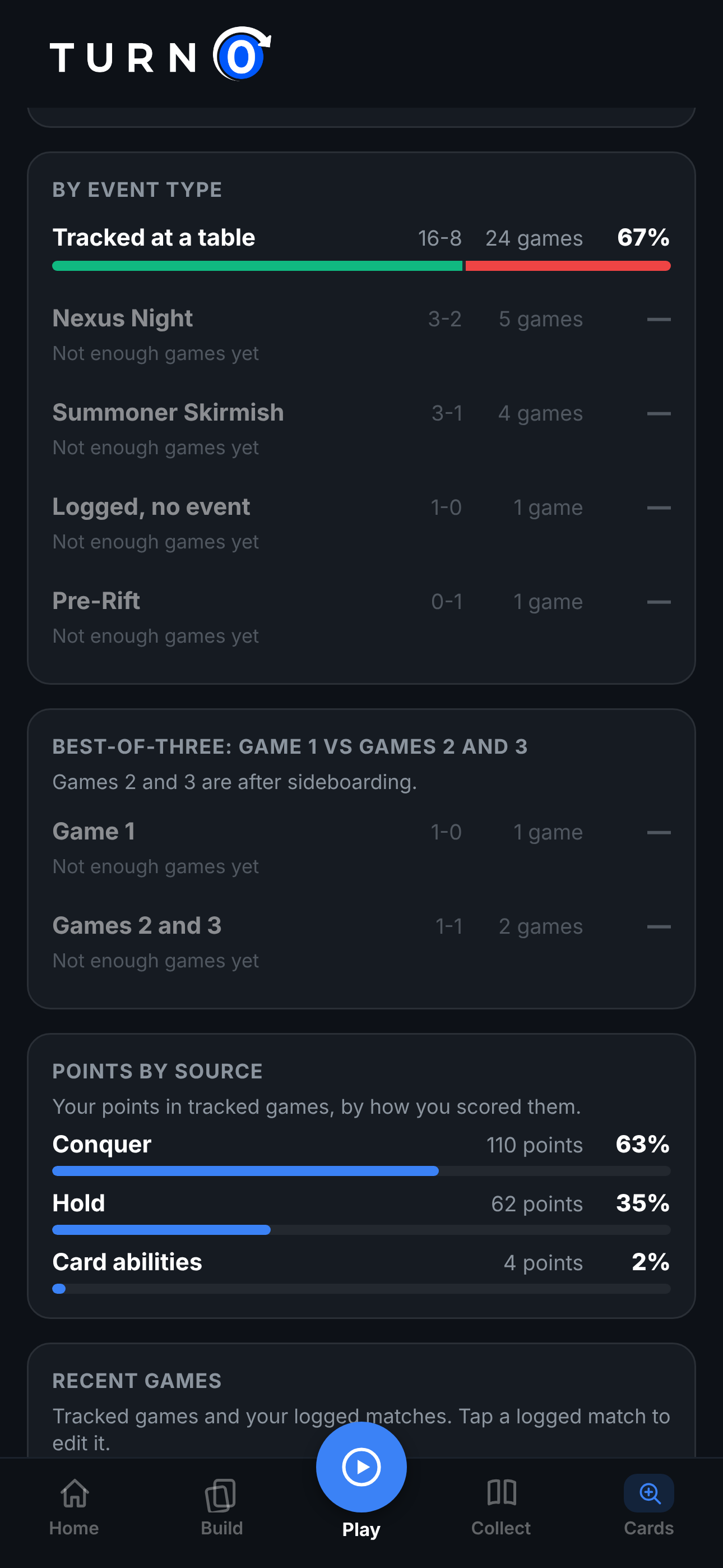
Your games only
Everything on this screen is about your own games, and it's shown only to you. Your Riftbound record doesn't appear on your profile, and nobody else can open it. TurnZero HQ doesn't combine Riftbound results across players, so it doesn't publish win rates for Legends, decks or cards, and Riftbound has no ratings, rankings or leaderboards.
That is why the matchup section is called Your games vs each Legend. A 12-2 record against Darius says how your deck and your play have done against the Darius players you met. It says nothing about Darius in general.
Logging a match you didn't track
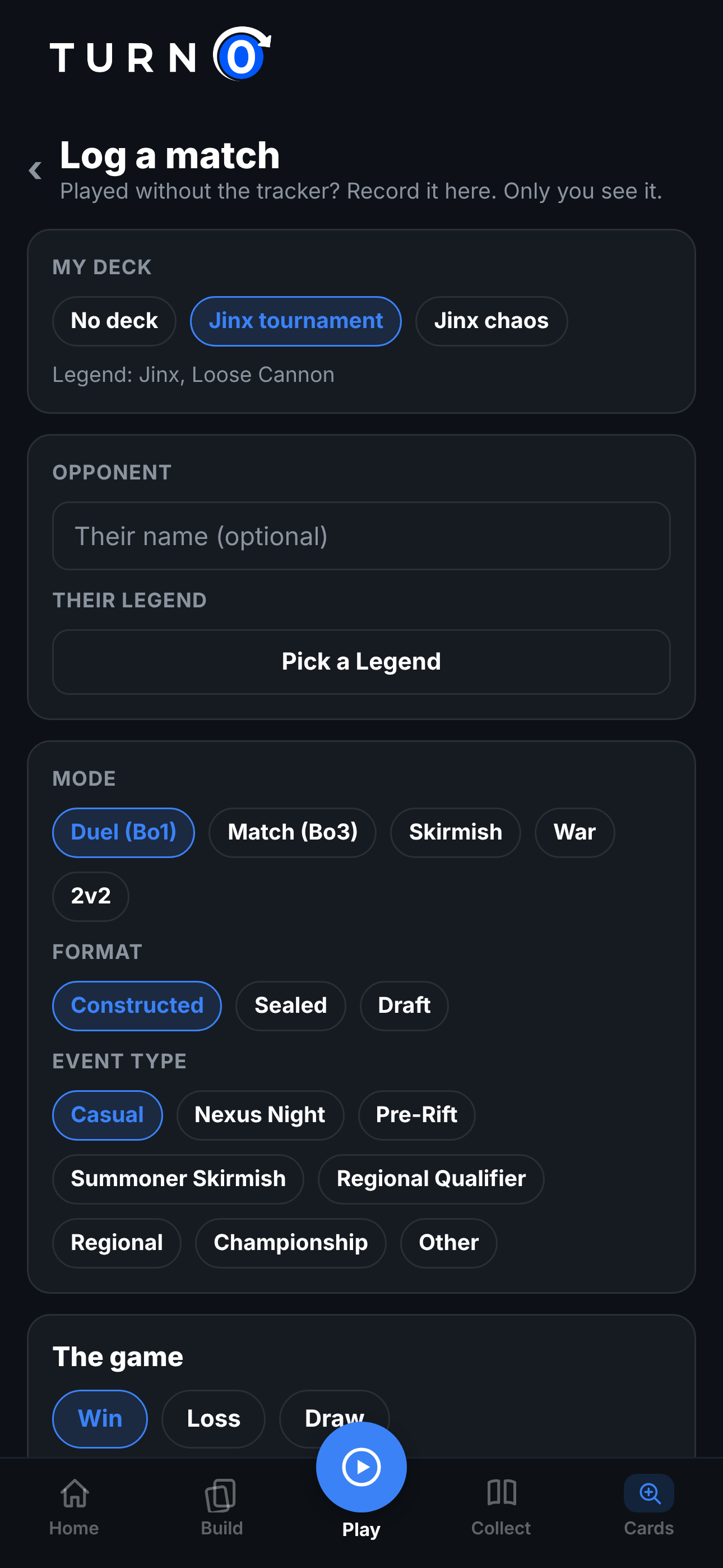
Log a match is a short form for a game or a best of three you played without the tracker. With the defaults filled in, a casual Bo1 game takes your deck, the result and Save.
1. Open Log a match
From My Riftbound stats, from the Your Riftbound games card in My Library, or from the Play page when the table's game is Riftbound.
2. Pick your deck and your opponent
Your deck brings its Legend and current version with it. The opponent's name is optional. Pick their Legend from the catalog.
3. Set the mode, format and event type
Duel (Bo1) is the default. Choose Match (Bo3), Skirmish, War or 2v2, Constructed, Sealed or Draft, and Casual or the kind of event it was.
4. Record the game
Win, Loss or Draw, whether you went first, and the battlefield you used. Their battlefield and the final points are optional. For a best of three, + game adds the next game, up to three.
5. Save the match
It goes straight into your stats. Played another day? sets the date for a match you're catching up on, and a saved match can be edited or deleted from Recent games.
In a best of three, a battlefield can't come back after it's been used. If you pick one you already used earlier in the match, the form warns you under that game but still lets you save, in case the log is right and the warning isn't.
Events and your Swiss record
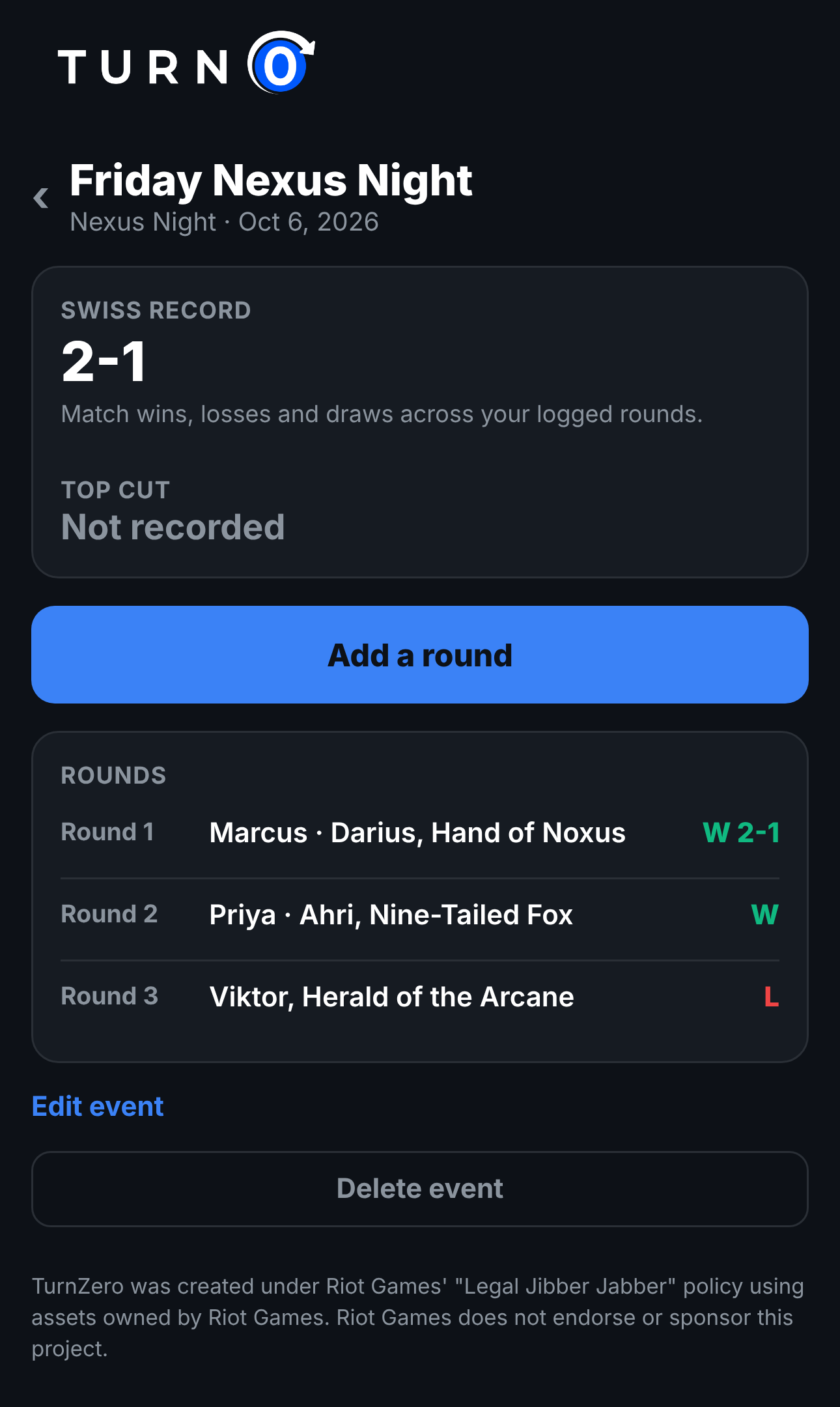
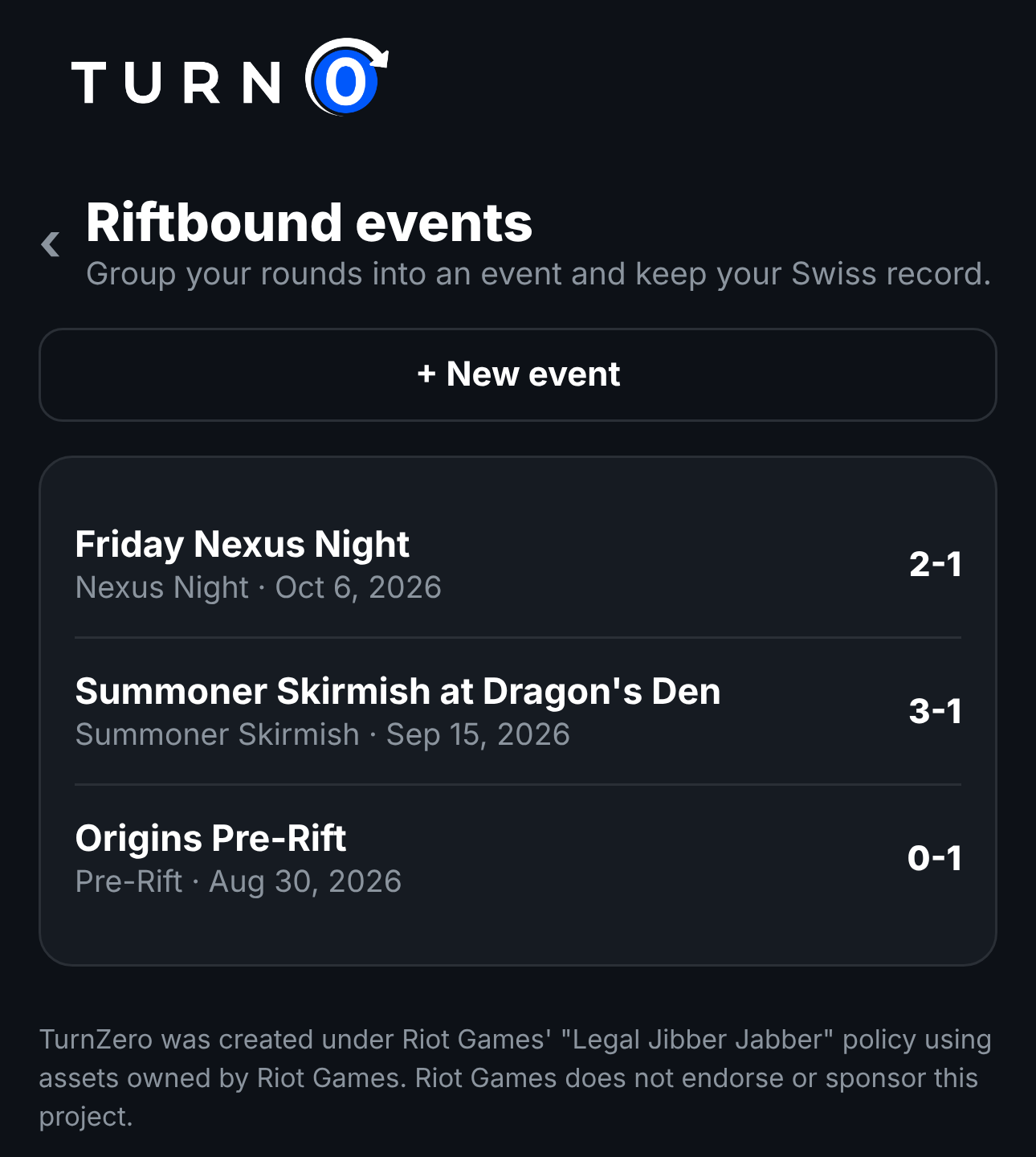
Riftbound events group your rounds from one Nexus Night, Summoner Skirmish, Pre-Rift or bigger event. Create one with its name, type, day and deck, then use Add a round after each match: it opens the match log already filed under the event. The event shows your Swiss record from its rounds, each round's opponent and Legend, and a top cut result you can fill in.
You don't have to create the event first. Log a match with an event type other than Casual, and the app files it under a new event for that day, where you can add the rest of the rounds.
Frequently Asked Questions
Does TurnZero HQ keep Riftbound stats?
Yes, your own. My Riftbound stats shows your record from games you tracked at the table and matches you logged by hand: by deck and deck version, on the play vs on the draw, by the Legend you played and the Legends you faced, by battlefield, by mode and event type, game 1 vs games 2 and 3 of a best of three, and how your tracked points split between conquering and holding.
Can other people see my Riftbound stats?
No. Your Riftbound stats are shown only to you, and they never appear on your profile for anyone else. TurnZero HQ also doesn't combine Riftbound results across players, so there are no win rates for Legends, decks or cards, and no Riftbound rankings or ratings.
Can I log a Riftbound match I didn't track?
Yes. Log a match records a game or a best of three after the fact: your deck, the opponent's Legend, the mode, the result of each game, who went first and the battlefields. Use Played another day? to backfill an older match.
How do I keep my record at a Nexus Night or other event?
Create an event under Riftbound events with its name, type, day and deck, then add each round with Add a round. The event shows your Swiss record from those rounds and a top cut result you can fill in. Logging a match with an event type other than Casual also creates an event for it.
Why does a row say Not enough games yet?
Any split with fewer than 10 games is grayed out and shows its record without a percentage. A win rate from a handful of games says more about luck than about the deck.
Is Riftbound stats tracking free?
Yes. The stats, the match log and events come with a free TurnZero HQ account on iPhone, Android and the web.
Know how your deck is really doing
Your record by deck version, play or draw, battlefield and opponent's Legend, from tracked games and logged matches. Free to start.
Create Free AccountTurnZero was created under Riot Games' "Legal Jibber Jabber" policy using assets owned by Riot Games. Riot Games does not endorse or sponsor this project. Card data comes from Riot Games' official Riftbound card gallery, and prices from TCGplayer via TCGCSV.