One Piece Card Game · Beginner Series
One Piece TCG Keywords and Mechanics, Explained
One Piece cards put their rules in square brackets: [Rush], [Blocker], [On Play], [DON!! x1]. Each one is defined in Bandai's Comprehensive Rules, and once you know them, most cards read in a few seconds. This lesson explains every keyword, groups them by what they do, and shows how often you'll see each one.
How is One Piece card text written?
Card text uses four kinds of brackets, and each means something specific. The rules here are from Bandai's Comprehensive Rules, version 1.2.1, last updated August 28, 2026.
Text that says "up to" lets you choose 0, and text with "may" is optional. Text without either has to be done as far as possible (rules 4-8 and 8-1-2). Effects resolve from the top of the card down. Where a card and the rules disagree, the card wins (rule 1-3-1).
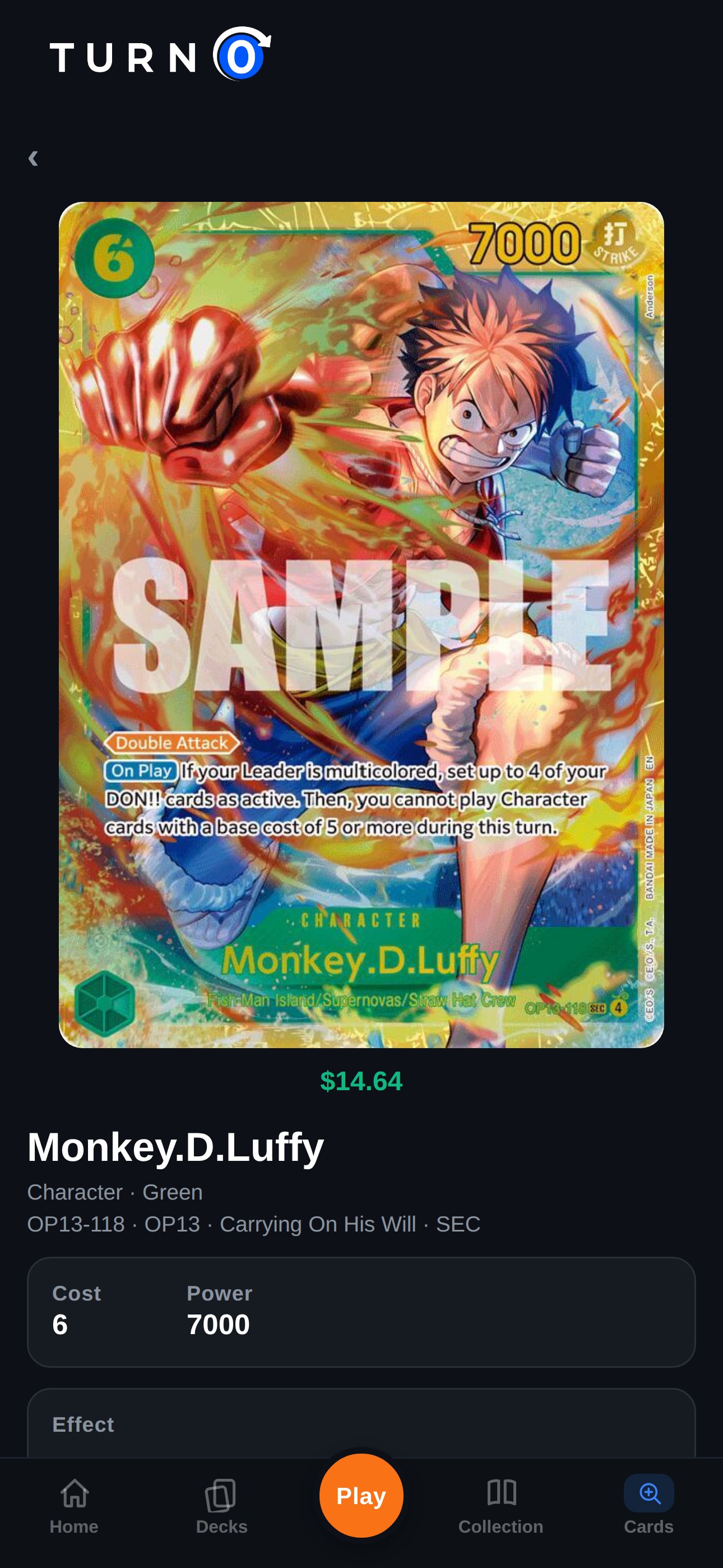
Keywords are printed as colored labels at the start of a line, which makes them easy to spot. Every One Piece card page on TurnZero HQ shows the card large enough to read them, with its category, color, cost and power listed underneath.
Abilities: what a card can do
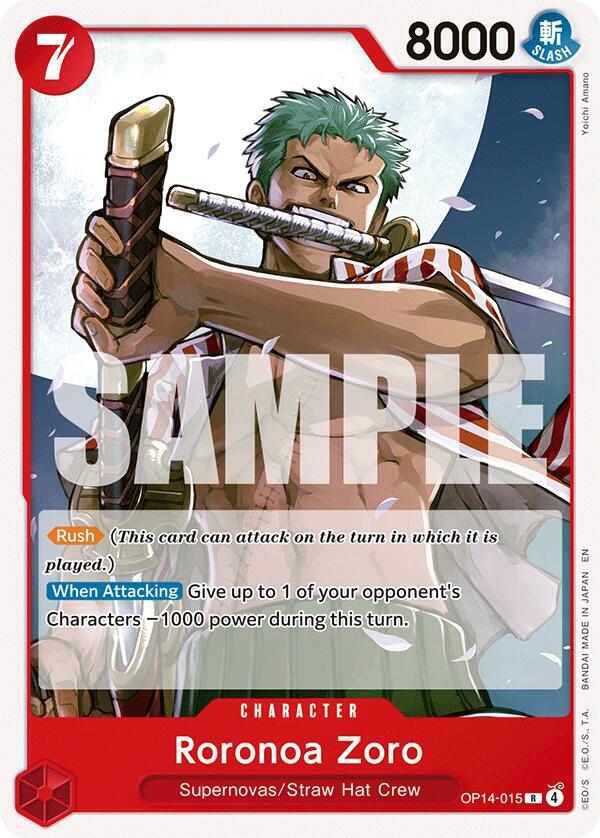
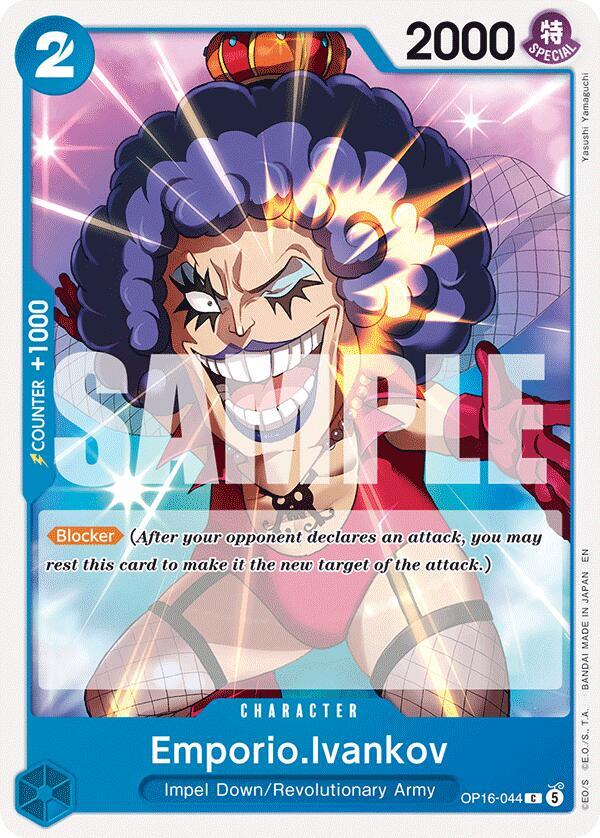
These keywords change what a card can do in a battle, and most are covered in more depth in how battles work.

Timing: when an effect happens
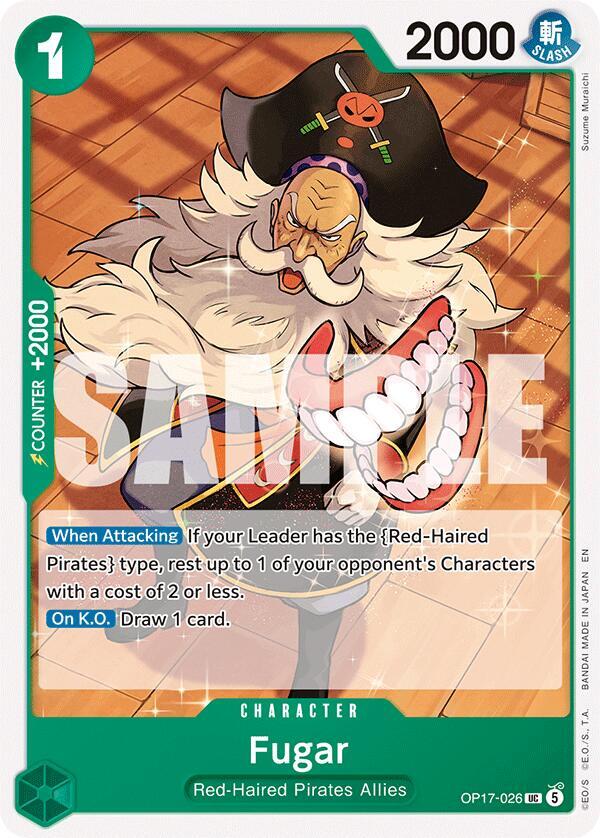
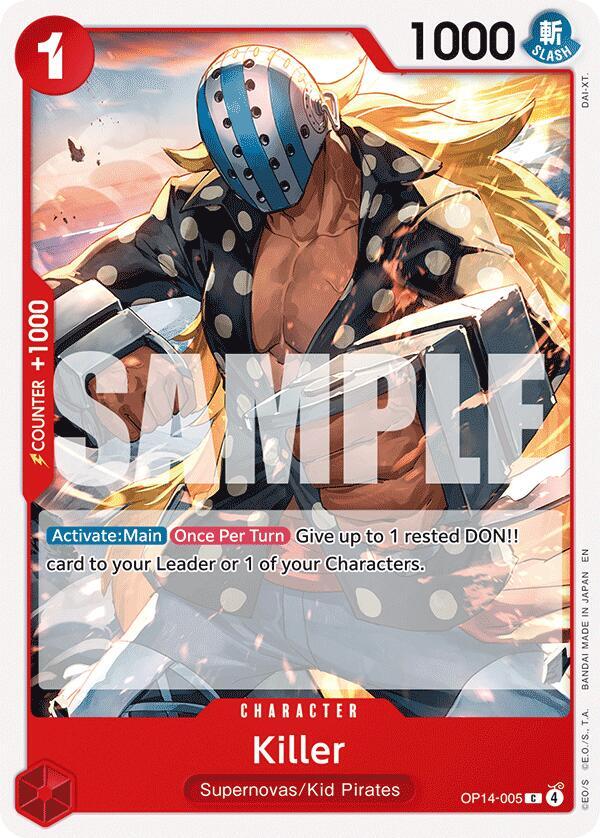
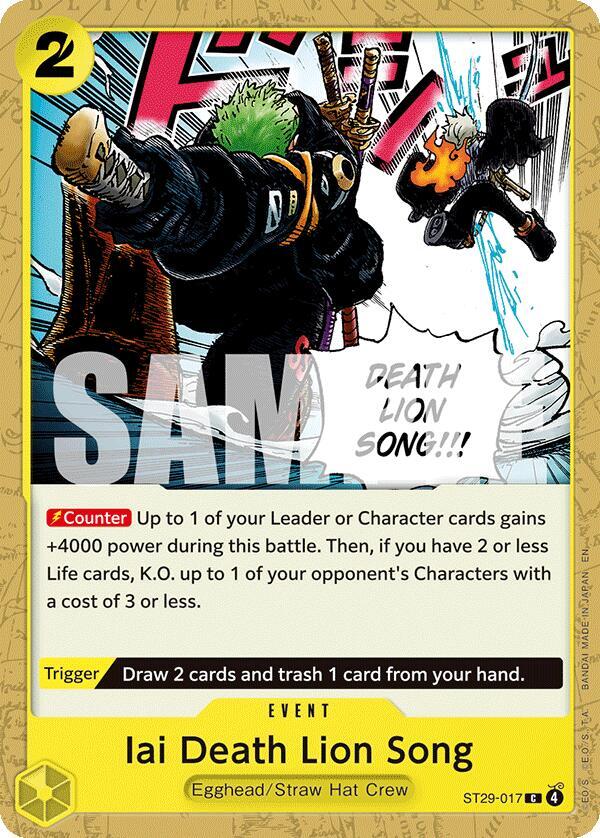
Timing keywords say when an effect activates. The first group happens automatically when something occurs; the last three are effects you choose to use.
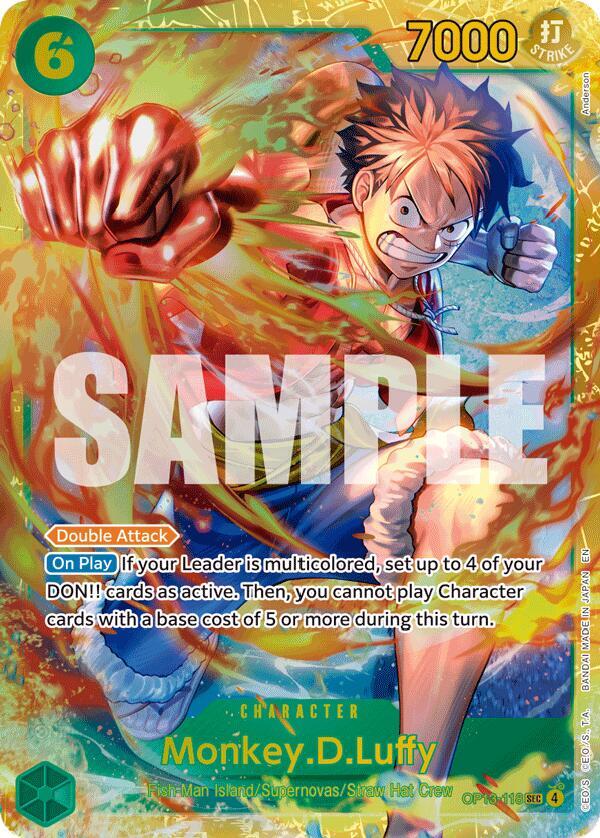
[On Play] is by far the most common keyword: more than a third of all cards have one. It is also the main way cards remove each other, since an [On Play] that rests, returns or K.O.s a [Blocker] clears the way for the attack that follows. Bandai also defines [End of Your Opponent's Turn], which works like [End of Your Turn] on the other player's turn; it is rare.
Conditions and limits
A condition keyword sits in front of an effect and says when it is switched on. If the condition isn't met, the effect can't be used even when its timing comes up (rule 8-3-2).
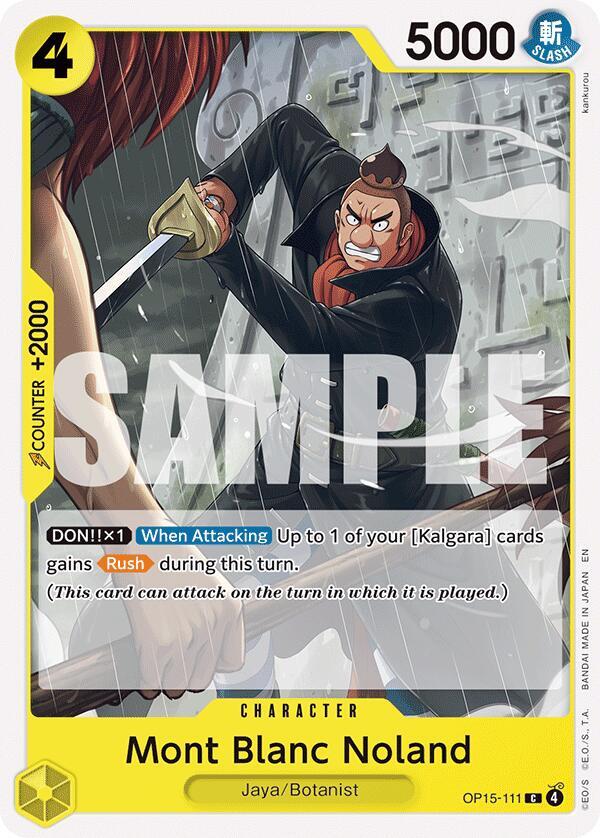
[DON!! x1] is why giving DON!! is about more than power. A Character with "[DON!! x1] [When Attacking]" needs a DON!! attached before it attacks to get its effect, so the DON!! you give is doing two jobs at once.
Costs: DON!! −X, resting and trashing
Some effects have an activation cost, which is everything written before the colon. You pay it first, and if you can't pay all of it, you can't use the effect (rule 8-3-1). Three costs come up constantly.
DON!! −X is the only cost that shrinks your DON!! supply, which is why Purple decks pair it with effects that add DON!! back. Every Character, Event and Stage with DON!! −X released so far is Purple; how the color works around it is in the colors lesson, and DON!! itself is covered in One Piece DON!! cards.

Game terms every card uses
Rules that trip people up
These come from Bandai's official rules Q&A and catch new players most often:
- A Character's Counter value only works from your hand. A Character already in play can't use its Counter.
- Using a Character's Counter costs nothing. Only [Counter] Events cost DON!!.
- You can play a Character with an [On Play] effect and skip the effect only if the effect has a cost you choose not to pay.
- [On K.O.] activates when that Character is K.O.'d, not when it K.O.s something else.
- DON!! already given to a Character can't be moved to another card in the same Main Phase.
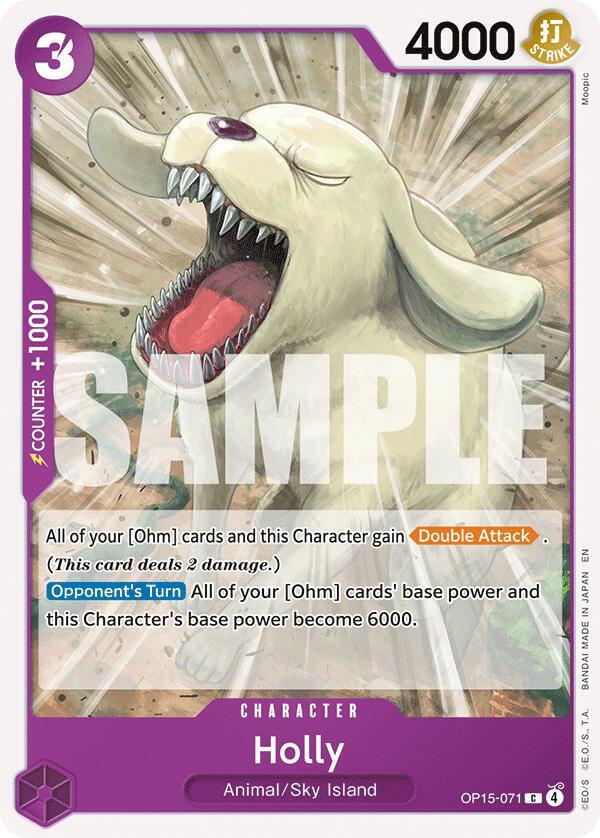
- [Double Attack] can't win the game against a player with 1 Life; it takes their last card and leaves them at 0.
- A Character with 0 or negative power stays in play. It is not K.O.'d just for having no power.
Frequently Asked Questions
What does [Rush] do in the One Piece TCG?
[Rush] lets a Character attack on the turn it is played. Without it, a Character has to wait until your next turn. [Rush: Character] is the narrower version: the Character can attack the turn it is played, but only your opponent's Characters, not their Leader.
What does [Blocker] do?
After your opponent declares an attack on your Leader or another of your Characters, you may rest an active [Blocker] to make it the new target. You can use one Blocker per battle, and a rested Blocker can't block.
What is the difference between [Counter] and a Counter value?
A Counter value (+1000 or +2000) is printed on Character cards: trash the card from your hand during your opponent's attack, for free, to add that power. [Counter] is a keyword on Event cards: pay the Event's cost with DON!! during your opponent's Counter Step to use its effect.
What does [DON!! x1] mean?
It is a condition: the effect works only while the card has at least 1 DON!! card given to it. [DON!! x2] needs at least 2. More than the number shown still counts.
What does DON!! −1 mean?
It is a cost: return 1 DON!! card from your field to your DON!! deck to use the effect. You can return DON!! from your cost area or DON!! given to your Leader or Characters. It shows up almost entirely on Purple cards.
What is the difference between [Main] and [Activate: Main]?
[Main] is found only on Event cards: play the Event from your hand during your Main Phase. [Activate: Main] is on Leaders, Characters and Stages already in play: use the effect during your Main Phase, outside of a battle.
What do the curly braces and angle brackets mean on One Piece cards?
Curly braces name a type, so {Straw Hat Crew} means cards with that type. Angle brackets name an attribute, such as <Slash>. Square brackets with no noun after them name a card, so [Monkey.D.Luffy] means cards with that name.
Build your first One Piece deck.
Build and check a One Piece deck, keep track of your collection, and score your games at the table. Free on iPhone, Android and the web.
Create Free AccountONE PIECE CARD GAME card names and images are the property of Bandai and their respective owners. ©Eiichiro Oda/Shueisha, Toei Animation. TurnZero HQ is not affiliated with, sponsored, or endorsed by Bandai, Shueisha, or Toei Animation. Card data and prices come from TCGplayer.