For Game Stores
Getting Your Game Night Started
The two minutes before the doors open, and what the person on the counter does for the rest of the evening. This is the routine you repeat every week.
Start the night
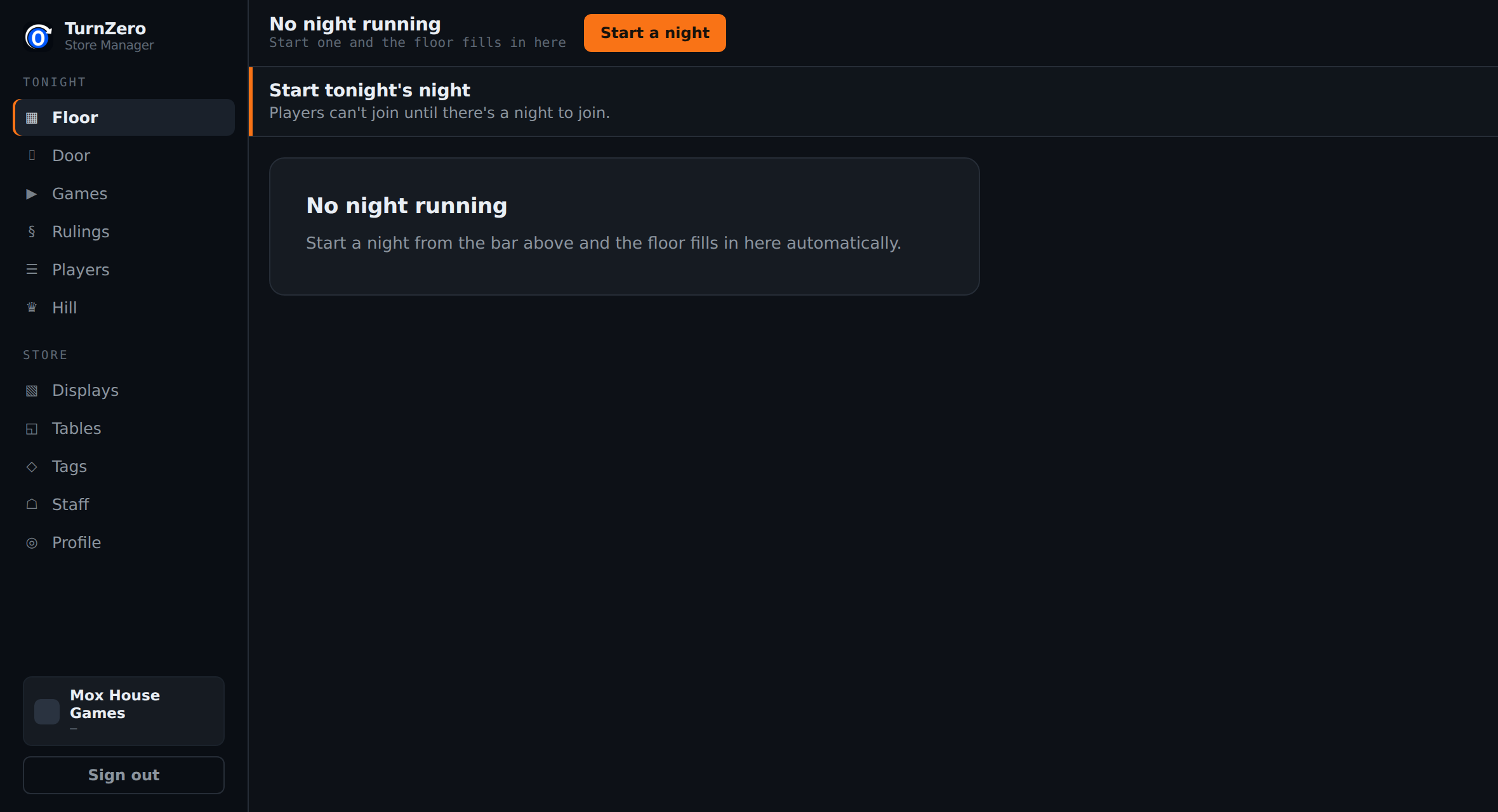
Open the console on the counter machine. If there is no night running it says so, and the only thing on the screen is a Start a night button. That is the whole step.
Starting the night is what mints the join code, which is the one thing that has to exist before anybody can do anything. Until it does, a player who scans a stale QR is told the night has not started rather than joining something old.
Put the code where people can see it
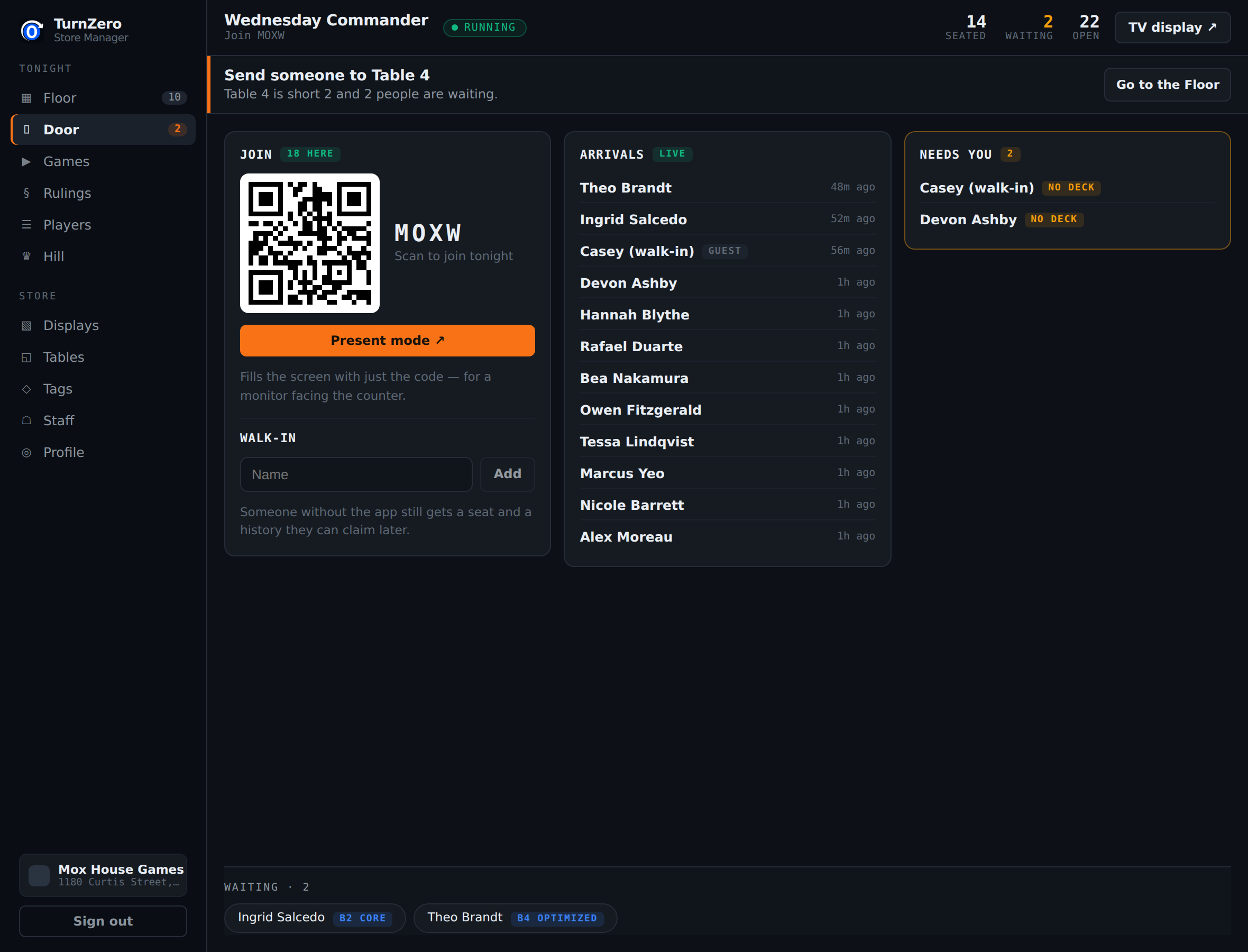
The Door screen is the counter's screen. It carries the join code at a size somebody can read across a counter, a QR beside it, and a live list of who has arrived.
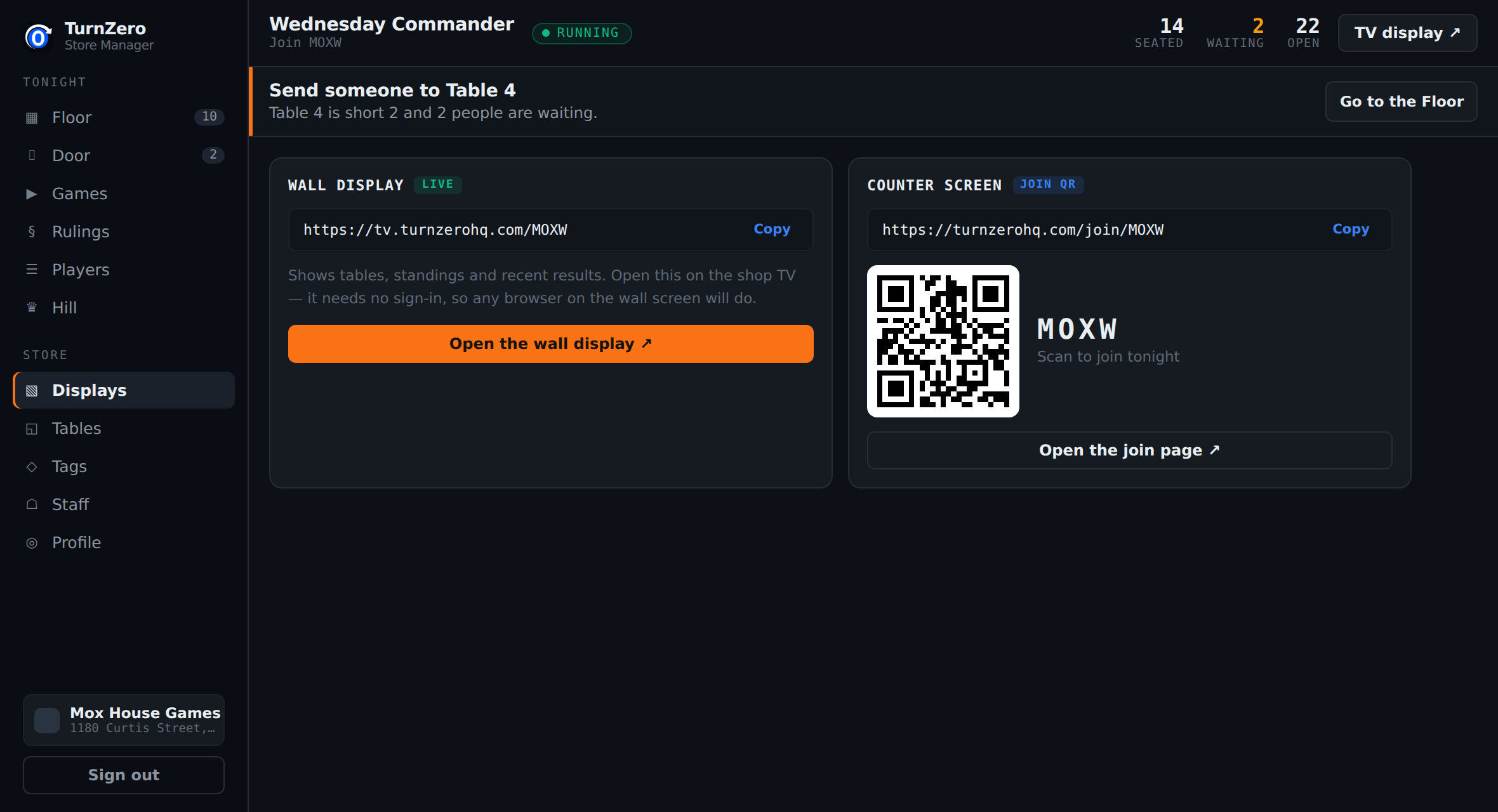
Two ways to show it, and most shops end up using both. Present mode fills the screen with just the code and the QR, which is what a second monitor turned to face the customer wants. The wall display shows the code too, along with the games in progress, so a TV on the wall is doing two jobs at once.
The join code changes every night; the wall display URL never does. Open that URL once on the shop TV and leave the tab there — it picks up each night's code on its own, so the TV is a thing you set up once rather than something to fiddle with weekly.
The people who did not scan anything
Somebody will turn up without the app, without a charged phone, or without the slightest interest in either. Type their name into the walk-in box on the Door screen and they are in: they take a seat, they count in the pod, and their games are recorded under that name.
Nothing about the evening degrades for a table with a walk-in at it. The one thing they miss is their own history — and if they make an account later, they can claim it. A regular who holds out for a month loses nothing by holding out.
The Needs You panel beside the arrivals is the counter's to-do list: it names the people who have joined but have not checked in a deck, worst first. A missing deck holds up a table, which is why it is the one thing on that screen drawn in amber.
Seating the room
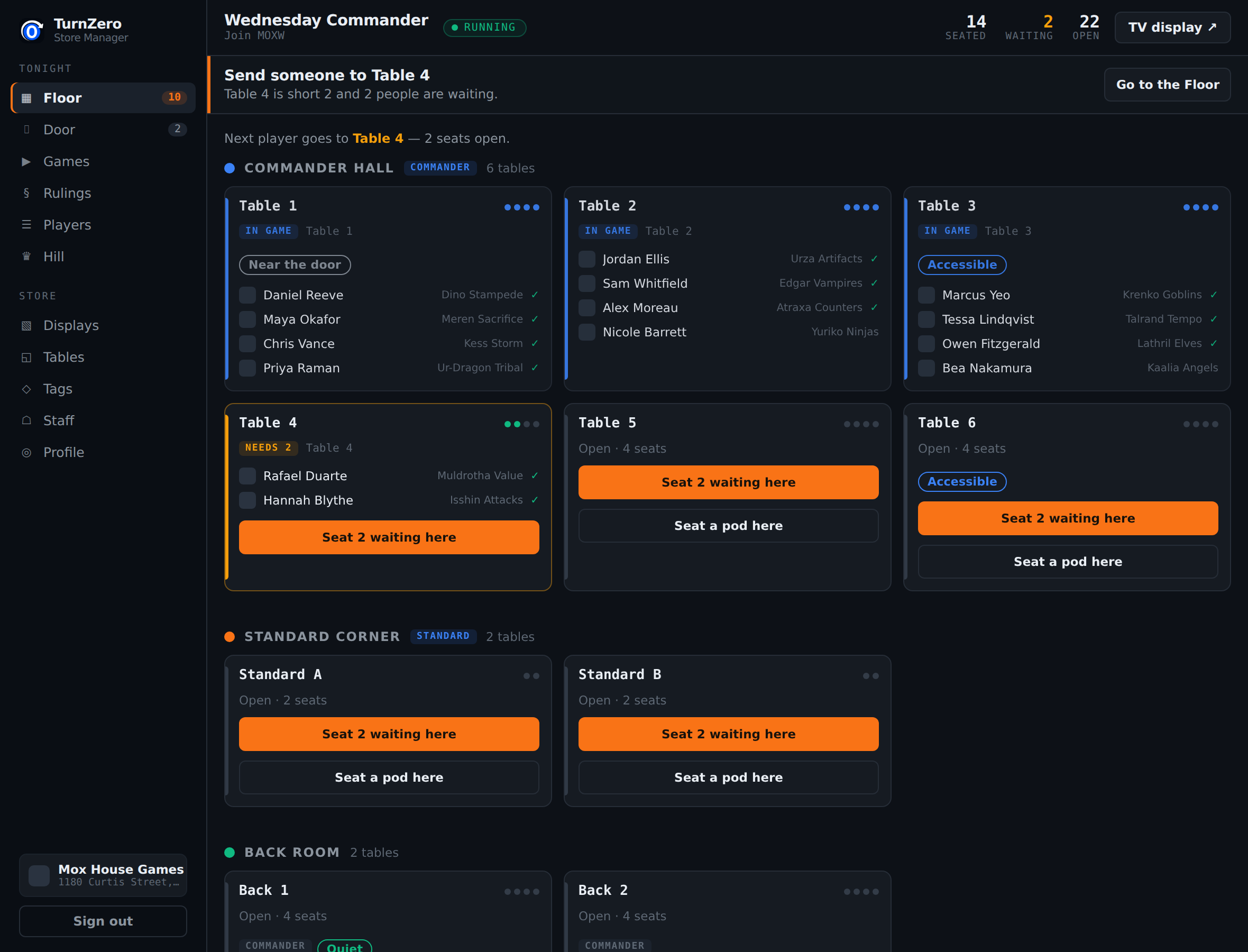
The Floor is the room, drawn as it is arranged: your sections in order, each table with who is at it and what deck they brought. A table with open seats offers a button that seats whoever is waiting; dragging a player onto a table is what you do when it matters who sits where.
Two things on that screen are worth knowing about before your first night.
The bracket chips are the reason to look before you seat. A player's deck carries its bracket, so a group waiting together shows you the spread before they sit down. Four Bracket 2 decks is a good pod. A Bracket 2 and a Bracket 4 in the same four is a game somebody stops enjoying on turn five, and it is much easier to say something at the counter than to fix it at the table.
A full pod is not a game yet. Once a table has its four, it offers Start the game — that is what puts it on the wall display and starts the life totals. Until somebody presses it the table is seated and idle, which is the correct state for four people still shuffling.
The line that tells you what to do next
Every screen in the console carries one line at the top saying the single next thing worth doing: put the code up, seat these two, send someone to Table 4, or nothing at all. It is deliberately willing to say there is nothing to do, because a shop waiting on players should be told it is waiting rather than left wondering what it has misconfigured.
That line is what makes the console usable by whoever happens to be on the counter, rather than only by the person who set it up. It is worth pointing out to new staff on their first Friday, because it is the difference between reading a dashboard and being told what to do.
The counters in the top bar — seated, waiting, open — are the same information at a glance. Waiting turns amber the moment it is above zero, which is the number that means somebody is standing about.
Ending the night
When the last table finishes, end the night from the console. That closes every table, marks any game nobody reported as abandoned rather than inventing a winner for it, and settles the evening's standings and King of the Hill boards.
If you forget, it closes itself after five hours of nothing happening. That is the safety net rather than the plan: a night left open goes on advertising a table nobody is sitting at, on the wall display and in every player's app, until the sweep reaches it.
Nothing about the evening is lost either way. Every finished game is already recorded the moment it is reported, so ending the night is bookkeeping rather than a save button.
How long before the doors open should I start the night?
A minute is plenty. Starting the night is what mints the join code, and the code is the only thing players need, so the honest answer is whenever you are ready to put it on the screen. Early regulars will join before they have taken their coats off, which is fine.
Do players have to install anything?
No. Scanning the QR opens turnzerohq.com in whatever browser their phone uses, and they can join and play from there. The app is better and it is free, but nobody is blocked at the door for not having it.
What about somebody who does not want to use their phone at all?
Add them as a walk-in from the Door screen with just a name. They get a seat, they count in the pod, and their games are recorded. If they make an account later they can claim that history, so a regular who resists for a month loses nothing by it.
What if the same person is on the list twice?
That is usually a walk-in who then joined by code. Nothing breaks, and the two rows are separate players for the evening. Seat whichever one they are actually sitting at and ignore the other; the empty one simply never gets a game.
Do I have to seat everyone myself?
You can, and on a busy night you will not want to. Every table with open seats carries a Seat N waiting here button, so filling the room is one click per table rather than a decision per player. Drag a specific player onto a specific table when you need to.
Does anything happen if I forget to end the night?
It closes itself after five hours of nothing happening, and any game that was left running is marked abandoned rather than invented as a result. Ending it deliberately is tidier and takes one click, but forgetting does not corrupt anything.
Run your next game night on TurnZero HQ.
Start the night, put the code up, seat the room. Free for players, and one flat price for the store.
Open the Store Console